Contacting Support
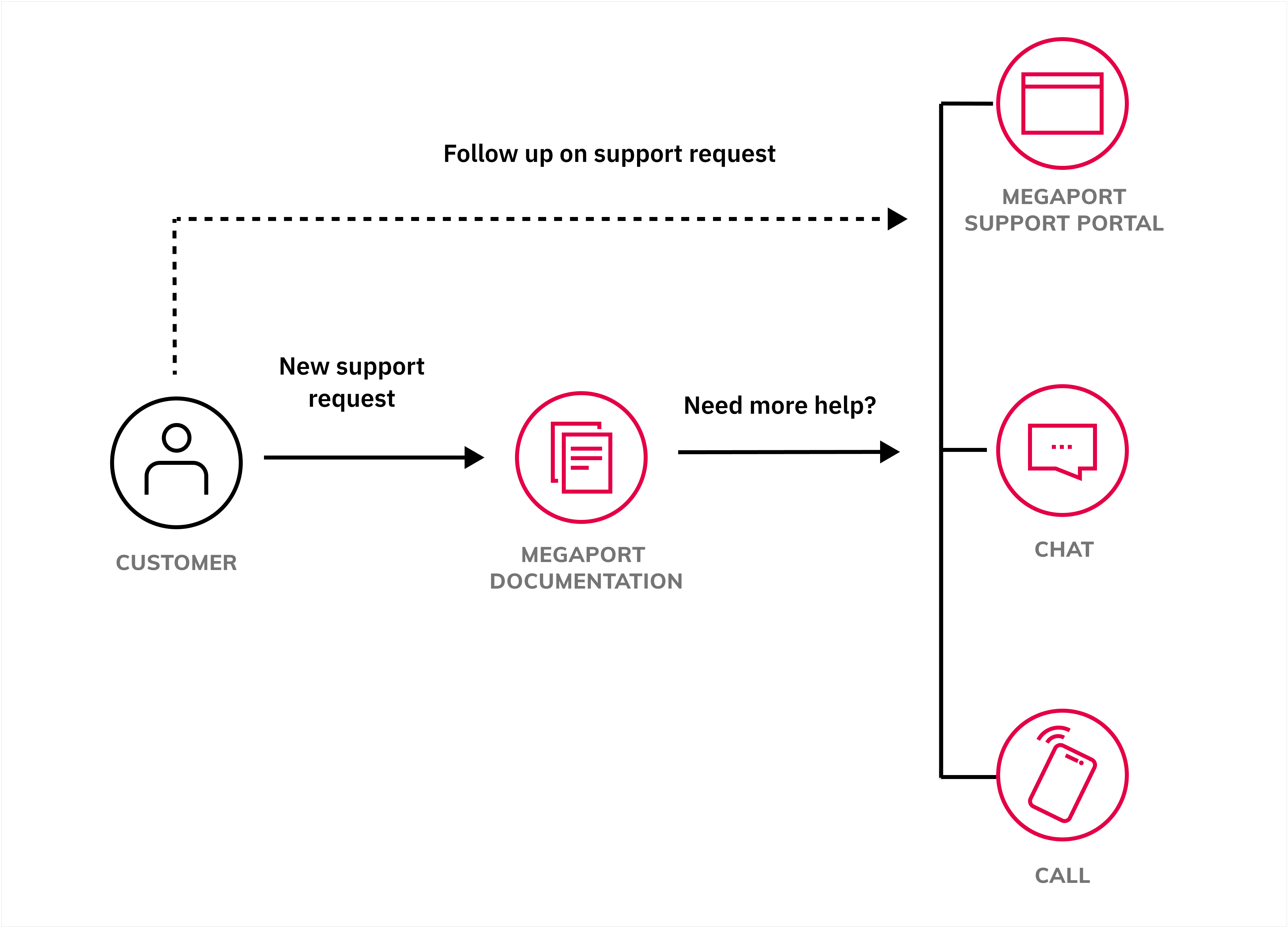
Need help with something? A great first step is to check out the Megaport Documentation on this site and save yourself the time collating relevant information and lodging a support request. We regularly update our content to address common call drivers.
If you need to raise an issue with our Support teams, you can create and manage your own support cases using the Support Requests Portal. For more information, see Support Requests Portal.
Alternatively, get in touch with our dedicated Support teams using live chat or by calling us. The Support teams are ready to guide you through everything from creating a Megaport account, provisioning network connections, responding to incidents, to answering general inquiries.
Important
If your account is managed by a Megaport partner, contact your partner for your support options. Most partners provide their own first-level support.
Support Requests Portal
Your primary support channel is the Support Requests Portal. Use the Support Requests Portal to create, manage, and follow up on support cases. Our Support team will monitor and process your support cases. For more information, see Support Requests Portal.
Live chat 24/7/365
Reach out to our in-house Support team any time of day or night.
-
Log in to the Megaport Portal.
-
Click the blue live chat icon to open a chat window and start a conversation.

Phone
Reach out to our Support team through the number best for your region:
- USA +1 425 954 2777
- Australia +61 7 3062 7601
- New Zealand +64 508 050 877
- United Kingdom +44 1 202 286 622
- France +33 187 214 799
- Germany +49 32 211 121 713
- Hong Kong +852 800 906 081
- Japan +81 120 645 081
- Singapore +65 6335 3863
What you need before submitting a support request
Providing the correct information to Megaport is critical for efficient and effective assistance. When engaging our team, include the following information:
- Service ID(s)
- Company / organization
- Description of request
When reporting an incident, also include the following information:
- Problem symptom
- Start time of issue
- End time of issue (if resolved/mitigated)
- What changes or actions were performed before the issue started?
- What troubleshooting steps have already been taken?