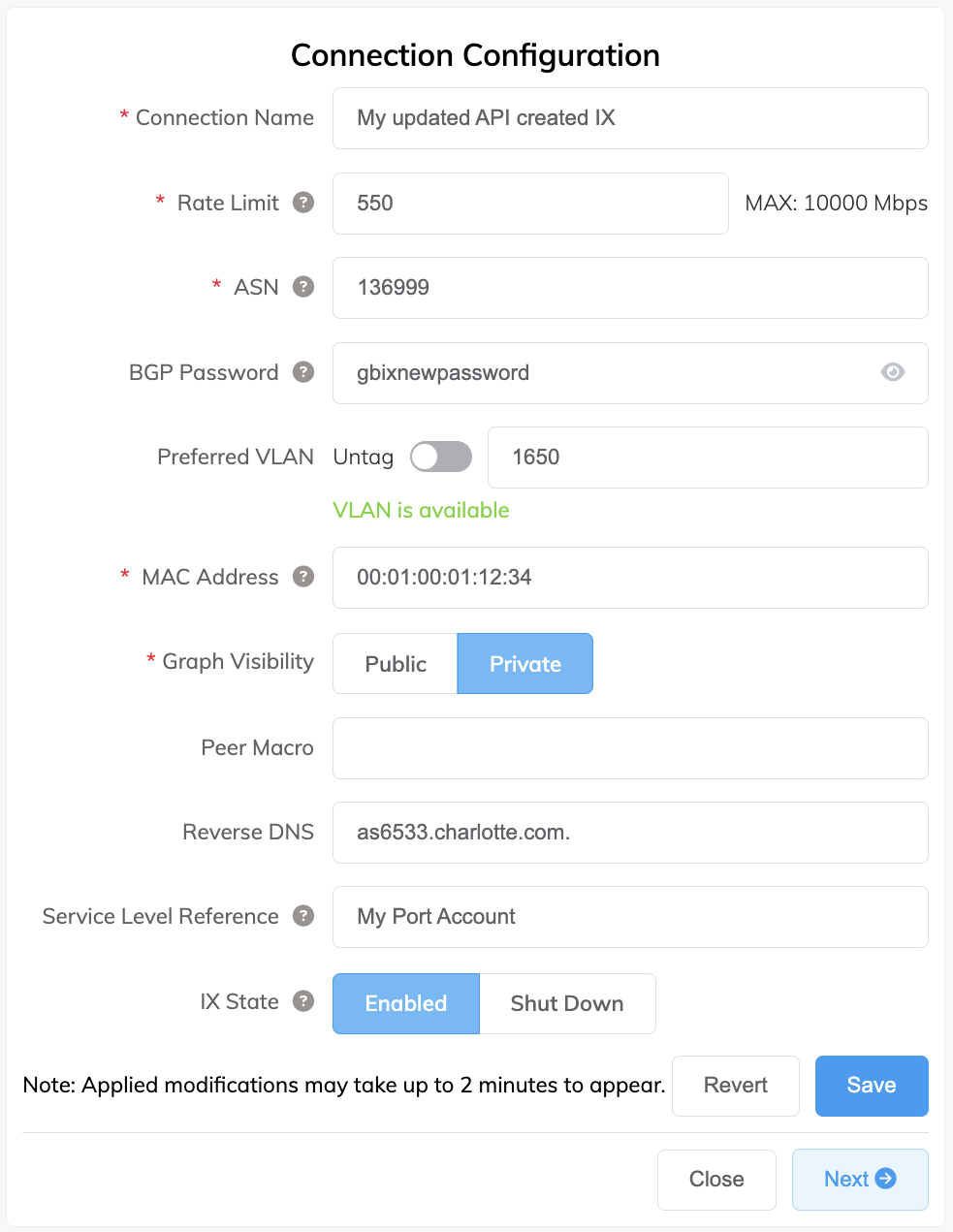
Changing an IX Configuration with the API
This topic describes how to change configuration details of an existing IX. For more information, see PUT Update IX in the API reference.
You can change the IX service name, rate limit, cost center, contract term, VLAN ID, MAC address, ASN, BGP password, whether your IX traffic graphs are public or private, reverse DNS, A-End productUid (for moving an IX), and whether to shut down or re-enable an IX, by updating any of these parameters in the Body of the request:
{
  "name": "My updated API created IX",
  "rateLimit": 500,
  "costCentre": "My Port Account",
  "term": 12,
  "vlan": 1650,
  "macAddress": "01:02:0f:04:58:20",
  "asn": 136999,
  "password": "gbixpassword",
  "publicGraph": false,
  "reverseDns": "as6533.charlotte.com",
  "aEndProductUid": "9e8ad9d7-85ab-46f9-ab13-c0966891341b",
  "shutdown": true
}
Important
If the IX is on a contract term, there are restrictions on speed changes. You can increase the speed above the committed term speed or reduce it to the committed term speed, but you cannot reduce it below the committed term speed. Attempting to reduce the speed below the committed term speed will result in a 409 Conflict error. For more information, see Changing the Speed of a Termed IX.
For details on moving an IX, see Moving a VXC and IX with the API.
For details on shutting down an IX, see Shutting Down a VXC and IX with the API.
Before you begin, obtain a valid access token. For more information, see Creating an API Key.
To change the IX details in the Postman collection
-
In Postman, expand Internet Exchange (IX) in the left navigation and click PUT Update IX.
-
Identify the IX to update by adding the
productUidto the endpoint.

-
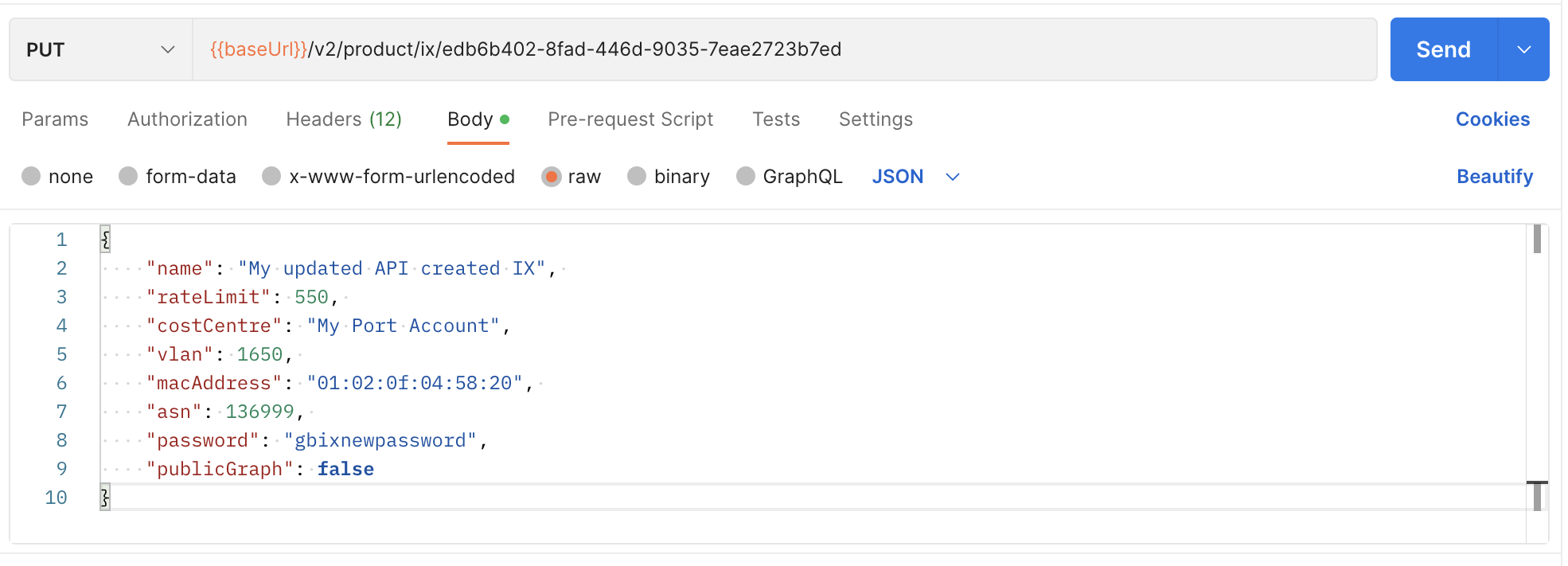
Select the Body tab and update IX details for name, rate limit, VLAN ID, BGP password, and so on. You only need to include the values you want to change.
This example changes the following values.
-
Click Send.
The changes will be reflected in the Portal within two minutes.